Every Sunday, churches create valuable content that deserves to live far beyond the sanctuary. One sermon can encourage people all week long, but only if someone takes the time to transform it into a bulletin insert, an email newsletter, a small group discussion guide, a visitor handout, or other written resources.
For many churches, that responsibility falls to a communications director, church administrator, executive pastor, or dedicated volunteer. After Sunday's service, they open a blank document and begin the time-consuming process of listening back to the sermon, taking notes, writing a summary, organizing the main points, formatting the document, and proofreading everything before it can be shared with the congregation.
For a single sermon, that process can easily take several hours.
Now multiply that by every Sunday, every special event, every guest speaker, and every Bible study throughout the year. Hundreds of hours can be spent turning spoken messages into written communication — time that could instead be invested in ministry, discipleship, outreach, or caring for people.
There is a better way.
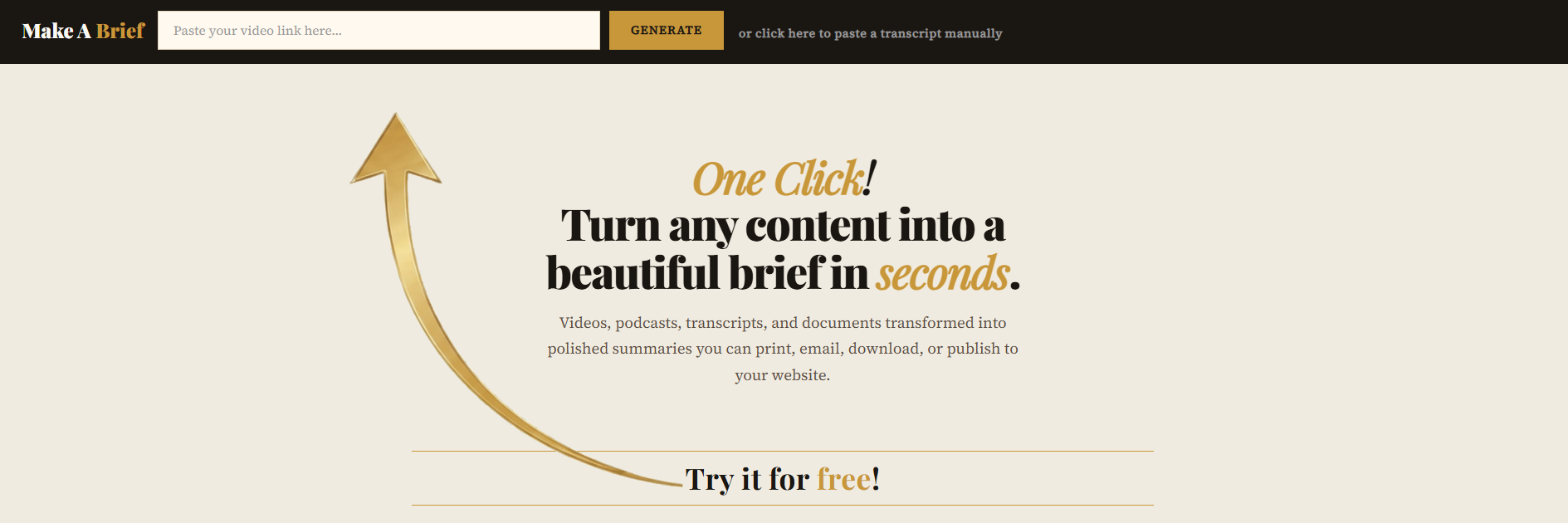
Make A Brief was built for exactly this challenge. Simply paste a YouTube sermon link, click Generate, and in about 20 seconds you will have a professionally formatted brief ready to print, email, or customize. Each brief includes a compelling title, a memorable tagline, an engaging introduction, a pull quote, key takeaways, and deeper study sections all organized into a clean, publication-quality layout that can be shared with your congregation immediately.
Instead of spending hours creating church communications from scratch, your team can spend those hours serving people.
The Challenge Every Church Staff Knows
If you manage communications for a church — whether you are a full-time staff member, a part-time administrator, or a dedicated volunteer — you know this feeling well.
The sermon was powerful. People were moved. But capturing that message in written form for the bulletin, the weekly email, the small group discussion guide, and the printed handout means sitting down and doing the work manually by listening back, taking notes, writing, formatting, and proofreading. For a single message that process can take two to four hours.
Multiply that across 52 Sundays a year and you are looking at over 100 hours annually just turning one sermon series into readable content. That is time that could be spent on pastoral care, community outreach, discipleship programs, or simply being present with your congregation.
Make A Brief gives those hours back.
What Make A Brief Creates From a Sermon Video
When you paste a sermon YouTube video link into Make A Brief, the tool reads the spoken content and produces a professionally formatted brief that includes:
- A YouTube Thumbnail — A clickable image pulled straight from the original video, so anyone reading the brief can tap once to watch the full sermon.
- A Compelling Title — Drawn from the heart of the message, not a generic summary, but a headline that captures the sermon's central theme in a way that is memorable and shareable.
- A Tagline — A single sentence that distills the entire message into something your congregation can carry with them through the week. Perfect for bulletin covers, social media graphics, or the top of your weekly email.
- An Introduction — A concise paragraph that sets the context of the message — who spoke, what passage was covered, and why it matters to your congregation right now.
- A Pull Quote — The single most powerful line from the sermon, formatted beautifully as a standalone quote that works equally well in a printed bulletin or a social media image.
- Four Key Takeaways — The main points of the sermon distilled into four clear, memorable statements. These are perfect for small group discussion, personal reflection, or a midweek devotional email.
- Three Deep Dive Sections — A structured exploration of the sermon's main ideas, detailed enough to be genuinely useful for study but concise enough to read in under five minutes.
- A Closing Note — A brief encouragement or call to action drawn from the sermon's conclusion, something that sends your congregation into the week with clear direction.
A Real Example - What This Looks Like in Practice
To show you exactly what Make A Brief produces from a faith-based video, here is a real example from Victory Lutheran Church. You can learn more about this church at https://victorylutheran.com/.
KEY TAKEAWAYS
|
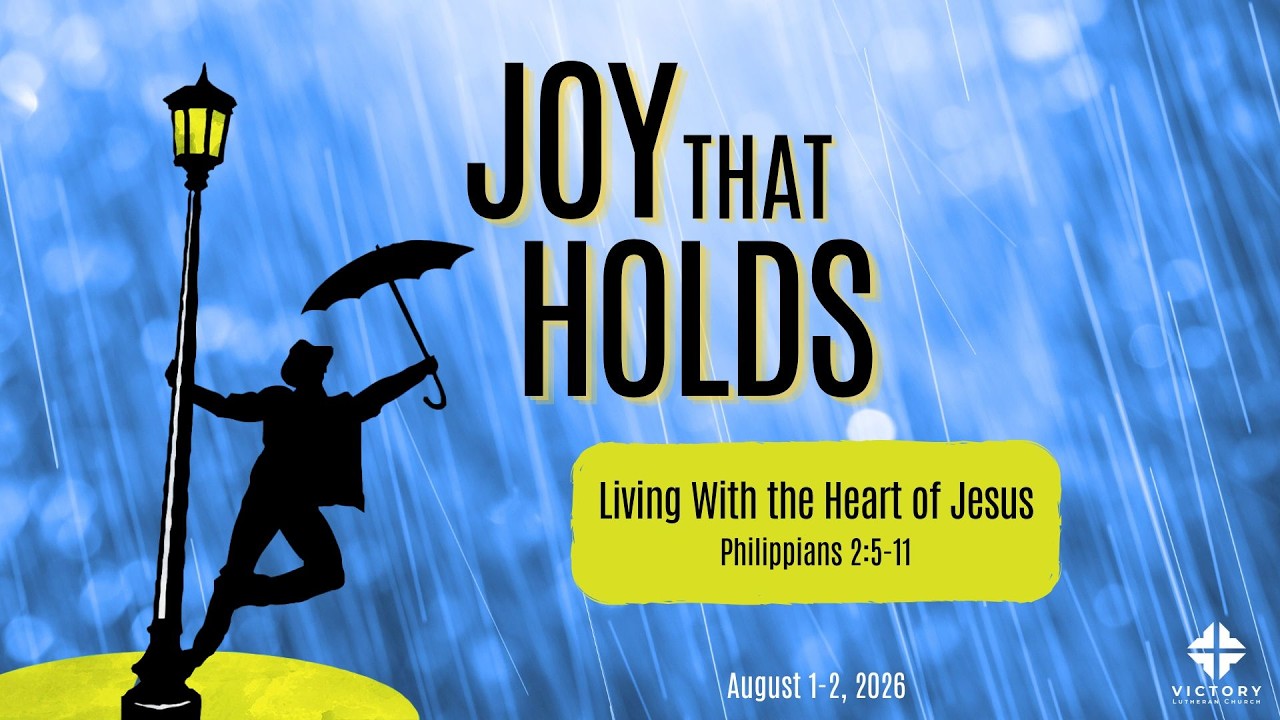
A recent sermon on Philippians 2 was pasted into Make A Brief. In about 20 seconds, the tool generated the professionally formatted brief shown above with a clickable YouTube thumbnail that leads back to the original video.
The brief was titled:
"The Heart That Serves"
With the tagline:
"Discover how Christ's humility frees you to serve without excuses."
The introduction summarizes Pastor Todd's message by explaining how Jesus willingly humbled Himself, took the lowest place, and gave His life for sinners. It then connects Christ's example to our own calling to notice the people God places in front of us and serve them with humility.
The brief also includes:
- Four clear key takeaways that members can remember throughout the week.
- Three deeper study sections exploring Christ's humility, recognizing opportunities to serve, and trusting God with the outcome.
- A memorable pull quote highlighting the Christian life as one of both freedom and joyful service.
- A beautifully formatted, print-ready layout that can be distributed as a bulletin insert, emailed to the congregation, or used as a small-group discussion guide.
The entire brief was generated in about 20 seconds. Creating a polished summary like this by hand would typically take one to three hours. To view the original video from Victory Lutheran Church, click here.
Four Ways Churches Can Use Make A Brief
1. The Weekly Printed Bulletin
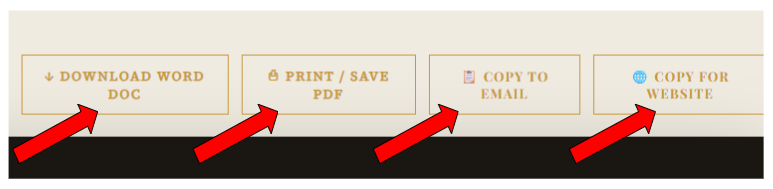
The most immediate application. Generate a brief from Sunday's sermon, export it as a PDF, and you have a print-ready bulletin insert that looks like it was designed by a professional. No graphic design skills required. No hours of formatting. Just paste, generate, and print.
Many churches print and distribute these during Sunday morning announcements, leave them in the foyer for visitors, or mail them to homebound members who cannot attend in person.
2. The Midweek Email Newsletter
Use the Copy to Email export button and paste the brief directly into your church's email platform — whether that is Mailchimp, Constant Contact, or a simple Gmail list. The formatting survives the paste cleanly. Your midweek email goes out looking polished and professional without anyone spending hours writing it.
Members who were present get a helpful recap. Members who missed Sunday get the full message in a readable format. Visitors who share their email address get a glimpse of what your church teaches week after week.
3. The Small Group Discussion Guide
The four key takeaways and three deep dive sections make a natural framework for small group discussion. Print the brief for each small group member, use the takeaways as discussion questions, and the group leader has a ready-made guide without writing a single word.
A Fourth Way — Put the Brief Directly on Your Church Website
This may be the most powerful use of Make A Brief that most churches have not considered yet.
Most church websites have a Sermons page where visitors can watch recorded messages on YouTube or Vimeo. That is valuable, but a video is only useful to someone who has 45 minutes to sit and watch it. A written brief on the same page serves everyone else; the person browsing on their lunch break, the visitor researching your church before attending, the member who missed Sunday and wants a quick recap, and anyone who simply prefers to read rather than watch.
Adding a Make A Brief output to your church website transforms a video library into a searchable, readable resource library. And it takes about two minutes per sermon.
Four ways to put a brief on your church website:
Option 1 — Upload the PDF (works on any church website) The simplest approach. Generate the brief, click Print / Save PDF, and save the file. Then log into your church website, create or edit your sermon page, and upload the PDF as a downloadable file. Add a button that says "Read the 5-Minute Brief" next to your existing video link. When someone clicks it the PDF opens in their browser. This works on virtually every church website platform including older ones.
Option 2 — Paste the brief as a webpage (best user experience) Instead of making visitors download something, paste the brief content directly into a webpage. Click the Copy for Website button in Make A Brief, then paste the copied HTML into your church website's page editor. Most modern church website platforms such as WordPress, Squarespace, Wix, and Weebly have an HTML block or code embed option where the formatted content pastes and renders cleanly as a styled webpage. Your sermon page then looks something like this:
This is particularly powerful because the brief is not competing with the video. It is a gateway to it. Someone reads the five-minute brief, gets interested, and clicks through to watch the full message. The brief drives video views rather than replacing them.
Option 3 — Embed the PDF in a webpage Some church website platforms allow you to embed a PDF directly into a page so it displays inline without requiring a download. The page visitor sees the formatted brief right there on the screen and can scroll through it without clicking anything. Below the embedded PDF you add a link to the full YouTube video.
Option 4 — Build a searchable sermon library This is where the church use case becomes genuinely exciting. Imagine your Sermons page looking like this:
Now your church has created a searchable library of written sermon content without anyone on staff writing a single word of those summaries manually. Make A Brief generates each one in 20 seconds. Your communications staff member or volunteer uploads it to the website in another two minutes. Done.
There is also an SEO benefit for your church specifically
This is worth understanding. When your sermons only exist as YouTube videos, search engines like Google cannot read the spoken content. A video titled "Finding Peace in Uncertain Times" is helpful but Google cannot see what the sermon actually covers.
When you add a Make A Brief written summary to a page on your church website at an address like churchname.org/sermons/finding-peace-in-uncertain-times, that page contains real readable text that Google can index. Someone in your city searching for "sermon on peace" or "finding peace biblical guidance" could find your church's page in search results and discover your ministry for the first time through a sermon summary rather than a directory listing.
Make A Brief quietly turns your video ministry into a searchable written archive that works for your congregation and for anyone discovering your church online.
How to Get Started — Step by Step for Churches
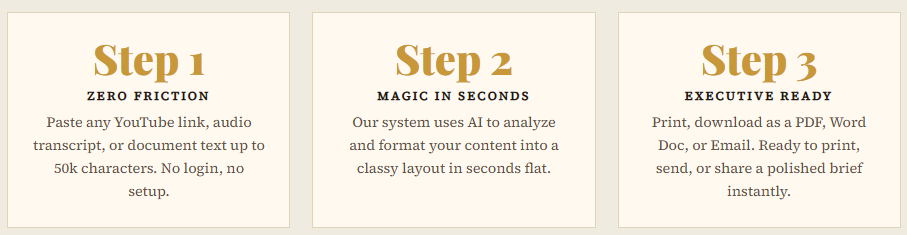
Getting your first church bulletin from Make A Brief takes less than a minute from start to finish.
- Find your sermon video. Go to your church's YouTube channel and find this week's sermon. Copy the video URL from your browser address bar or by clicking Share under the video.
- Paste the link into Make A Brief. Go to makeabrief.com. Paste the YouTube URL into the input field at the top of the page and click Generate.
- Wait about 20 seconds. Make A Brief extracts the sermon transcript, identifies the key themes and insights, and formats everything into a publication-quality brief.
- Review and export. Read through the brief to make sure everything captures the sermon accurately. Then choose Print / Save PDF for a print-ready bulletin, Copy to Email for your church email platform, Copy for Website for your church website, or Download Word Doc to edit and customize the content.
- Distribute. Print it, email it, post it, share it. Your congregation has a beautiful, readable version of Sunday's message in their hands.
Start This Sunday
Your next sermon is this weekend. Your congregation deserves a beautiful, readable version of that message they can take home and study.
Make A Brief is ready right now. No setup. No account required. No learning curve. Just paste your sermon video link and click Generate.
Try Make A Brief free at makeabrief.com — your first two briefs are completely free. See for yourself what 20 seconds can produce from this Sunday's sermon.
What About Sermon Privacy and Denominational Sensitivity?
This is a question worth addressing directly because every church is different.
Make A Brief processes your sermon transcript through AI and returns a formatted brief. The content is not stored permanently. It is processed and returned to you. You remain in complete control of what you do with the output.
If your pastor covers sensitive pastoral topics such as grief, mental health, marital difficulty, or financial hardship, you can review the brief before distributing it and edit or remove anything that feels too personal for a printed format. The Word Doc export makes this easy. Download it, open it in Microsoft Word or Google Docs, make any adjustments, and then distribute your edited version. You can also edit the email version before sending as well.
The tool gives you a starting point. You always have final editorial control.
How Make A Brief Compares to Doing It Manually
Here is an honest side-by-side comparison:
| Task | Manual Process | With Make A Brief |
|---|---|---|
| Writing the bulletin summary | 60–90 minutes | 20 seconds |
| Creating the midweek email | 45–60 minutes | 20 seconds + paste |
| Building a small group guide | 30–45 minutes | Already included |
| Formatting for print | 30–60 minutes | Already formatted |
| Total time per sermon | 3–4 hours | Under 5 minutes |
Over a full year that difference adds up to over 150 hours of communications work — time your team gets back to spend on ministry rather than administration.
Beyond the Sermon — Other Ways to Use Make A Brief
Once your team discovers how fast and easy Make A Brief is, you will find it useful far beyond the Sunday sermon:
- Guest speaker visits — Generate a brief from any guest speaker's video so your congregation can revisit their message.
- Bible study series — Turn recorded Bible study sessions into printed study guides.
- Congregational announcements — Paste your pastor's weekly video update into Make A Brief for a clean written summary.
- Missionary reports — Turn recorded missionary updates into printed prayer guides your congregation can take home.
- Conference and retreat recordings — Generate summaries from conference sessions your leaders attended and want to share with the congregation.
- Podcast sermons — If your pastor produces a weekly podcast, paste the transcript directly into Make A Brief for the same result.
Frequently Asked Questions for Churches
Does the video have to be on YouTube?
No. Make A Brief also accepts manually pasted transcripts or text of up to 50,000 characters. If your sermon is hosted on Vimeo, Facebook, your church website, or any other platform, simply copy the transcript from your video platform and paste it into the manual transcript option on makeabrief.com.
What if our pastor speaks from notes rather than a manuscript?
That is actually ideal. Make A Brief works from the spoken words in the video, not a pre-written manuscript. As long as your video has captions or a transcript available, the tool can work with it.
Can we put our church logo on the brief?
Logo upload is a choice when you choose to paste a transcript in manually.
What if the brief gets something wrong about the sermon?
Always review the brief before distributing it. The tool is very accurate for most sermon content, but theological nuance is best reviewed by a human, specifically your pastor or a trusted staff member, before it goes into print. The Word Doc export makes editing easy. You can also edit the email version before sending.
Can volunteers use it without technical knowledge?
Absolutely. If you can copy and paste a link, you can use Make A Brief. There is no technical knowledge required.
Make A Brief is used by churches, educators, content creators, and professionals to turn video and audio content into beautiful print-ready briefs. Try it free at makeabrief.com — no account required.